


Last updated: October 2026. The steps follow Binance’s official help article, updated September 3, 2026.
To delete your Binance account, first withdraw any balance above $5 and close open Loan, Margin, Futures and Earn positions. Then open Security, go to Account Management (Manage Account in the app) and choose Close Account. Binance calls the feature “Close Account,” and the closure cannot be undone.
If you only need a break from trading, disabling is the safer choice. It locks your profile but leaves your funds in place, and you can unlock it later.
Things to Know Before You Close Your Binance Account
Binance will not process the account closure until everything is cleared. Before you start:
- Withdraw your funds. Move any balance above $5 to another exchange or to a self-custody wallet such as Trust Wallet or a hardware wallet. Binance warns that assets left in a closed account are lost and cannot be recovered.
- Cancel open orders and close positions. Cancel open spot orders so the funds can be withdrawn, close open Loan orders, clear any Margin liabilities and move Futures funds to your Spot or Funding wallet.
- Redeem Earn products. Cancel Earn subscriptions and withdraw the funds.
- Finish P2P trades. Wait until any P2P orders from the past 48 hours are completed.
- Close sub-accounts and Web3 wallets. Close active sub-accounts and convert any active Binance Web3 Wallet to a private-key wallet.
- Download your transaction history. Export Spot, Futures, Margin and P2P records if you need them for taxes. You lose access to this data after closure.
- Unlink payment methods. Remove linked bank accounts and cards for added safety.
How to Delete a Binance Account Permanently
On the Binance Website
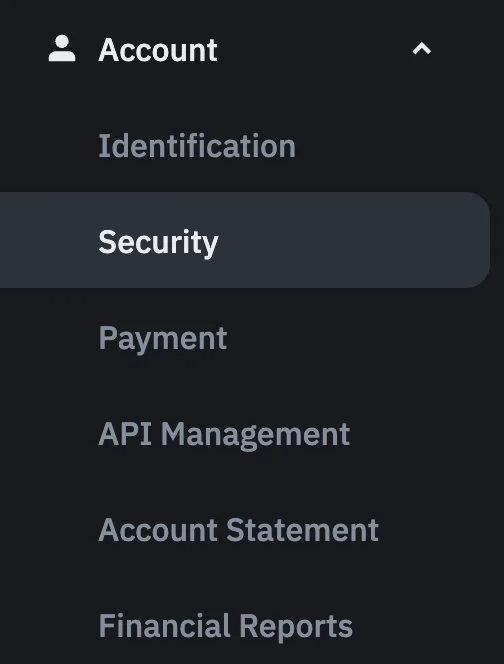
- Log in to your Binance account, hover over the profile icon and select Account.
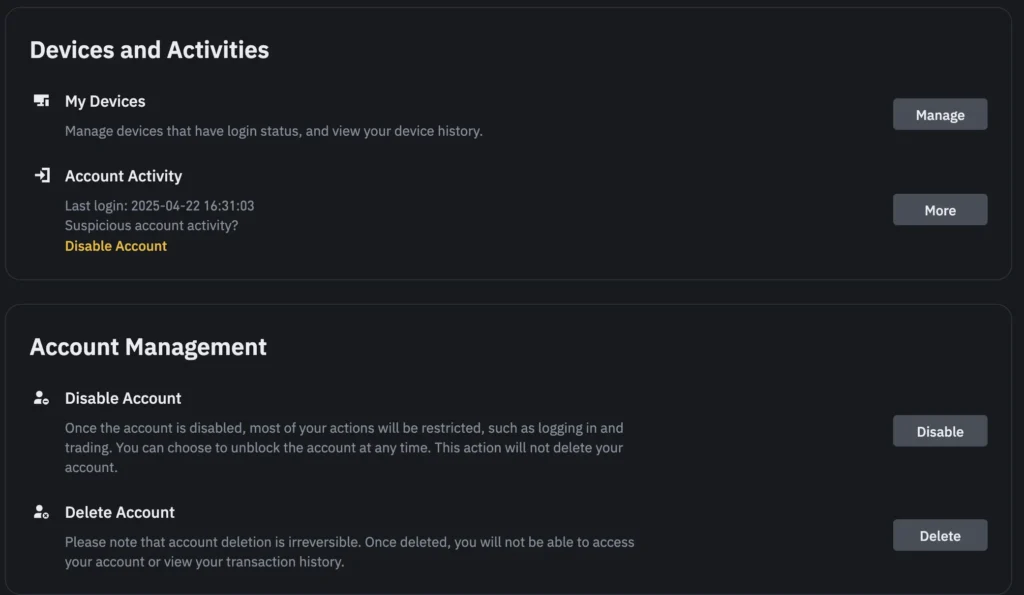
- Click Security in the left menu, scroll to Account Management and click Close next to Close Account.
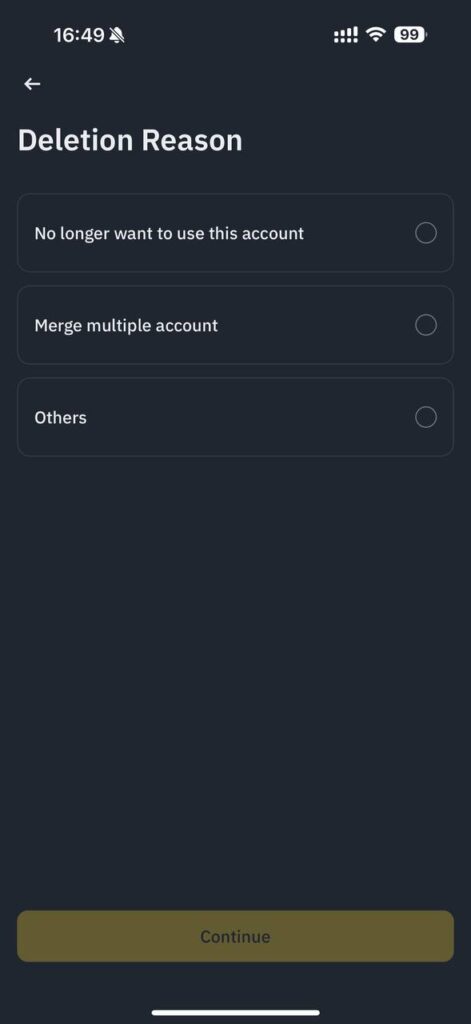
- Choose a reason, click Continue and then Accept & Continue.
- If assets remain, click Back and transfer them first. If nothing is left, tick the confirmation box and click Close Account.
- Complete the security verification.
In the Binance App
- Tap the profile section at the top of the home screen to open Account Center, then go to Security.
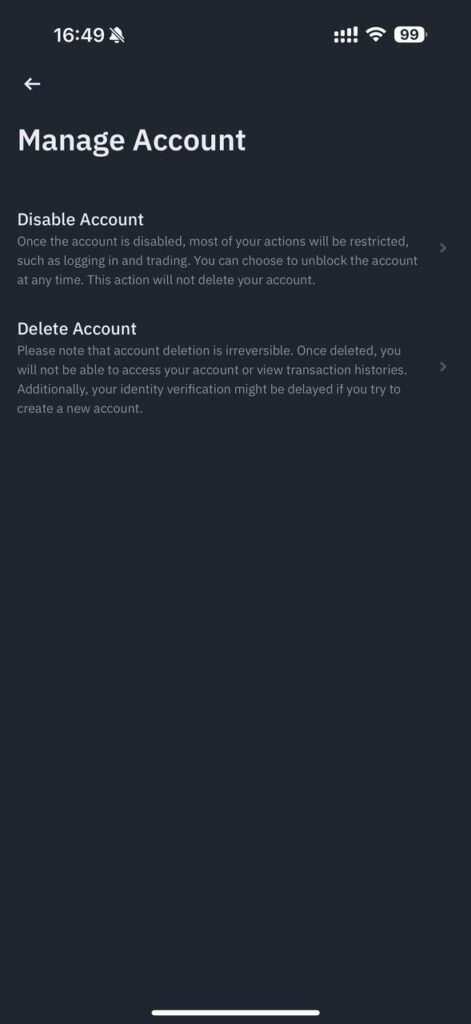
- Scroll down to Manage Account and tap Close Account.
- Choose a reason for closing, read the terms and tap Continue.
- If you still hold assets, tap Cancel and transfer them. Otherwise, tick the acknowledgment box and tap Close Account.
- Complete the security verification.
Binance Account Delete vs Disable: What’s the Difference?
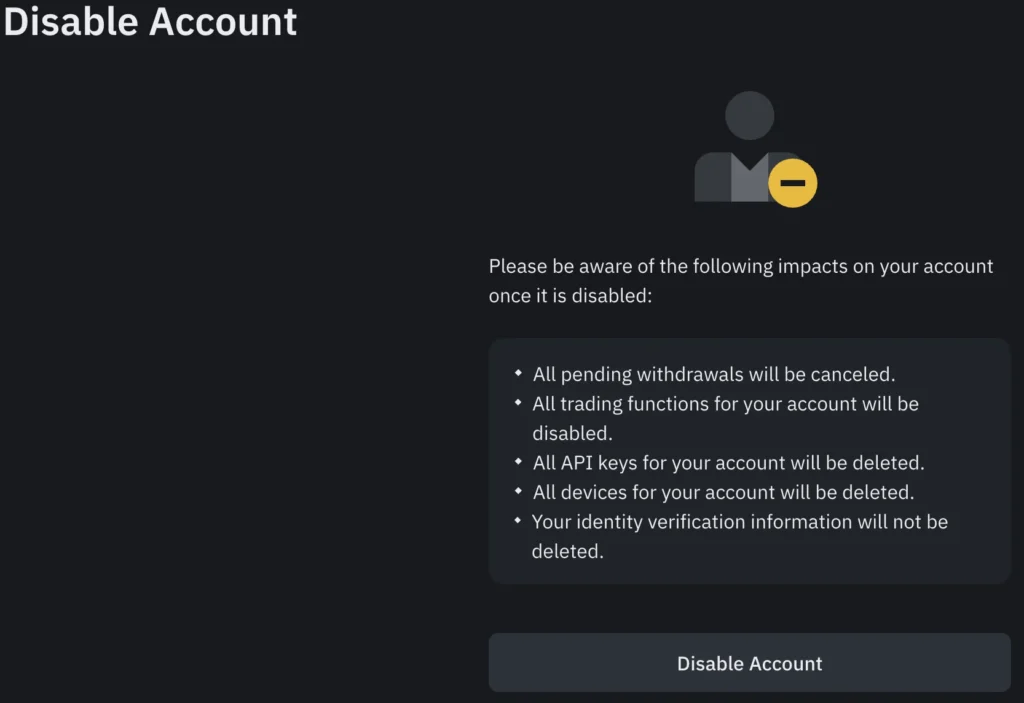
Disabling is a pause, not an exit. To disable your profile, open Security, go to Account Management (Manage Account in the app) and select Disable Account. To unlock it later, log in, choose Unlock in the pop-up and pass the security checks. Binance notes that withdrawals and P2P trading may stay restricted for up to 48 hours after unlocking.
| Feature | Disable | Close (delete) |
| Can be undone | Yes, through Unlock | No |
| Your funds | Stay in the account | Must be withdrawn first; anything left is lost |
| Transaction history | Available again after unlocking | Download it before closing |
| New account later | Not needed | Possible, but identity verification may be blocked for 30 days or longer |
What Happens After Account Closure
- You permanently lose access, including to your trade and withdrawal history.
- Binance keeps some personal data for as long as laws such as anti-money laundering rules require, then removes it.
- If you open a new Binance account later, identity verification may be blocked for 30 days or longer.
If the Close Account option is unavailable or the request fails, contact Binance Support through the Help Center in the app or on the website and explain what is blocking the closure.
Closing a Binance.US Account
Binance.US, the separate exchange for U.S. customers, has its own process. According to its help center, the combined balance must be under $10, there can be no open orders or pending deposits and withdrawals, and the request must be made from within the United States. In the app, go to Security and tap Delete Account under Account Management. On the website, open Security and click Delete Account. Processing can take up to two hours, any remaining funds are forfeited, and the same SSN, email or phone number cannot be used to register again.
Final Thoughts: Should You Delete Your Binance Account?
Closing makes sense if you are leaving the exchange for good or want fewer platforms holding your identity documents. If you are switching, compare fees and security in our guide to the best crypto exchanges first. Before you delete your account, withdraw everything and export your records, because Binance cannot restore a closed account. If you are just stepping away from trading, disabling is the reversible option.
FAQ
Can I reopen my Binance account after closing it?
No. Binance treats account closure as irreversible, so a closed account cannot be restored or reactivated. You can register a new account later, but Binance warns that identity verification on it may be blocked for 30 days or longer. If you only want a break from trading, disable the account instead, because a disabled account can be unlocked.
Can I delete my Binance account without withdrawing my funds?
Only a small balance can stay behind, and you will lose it. Binance asks you to withdraw any balance above $5 before closing the account, and assets left after closure are lost and cannot be recovered. Move your crypto to another exchange or a self-custody wallet first, and download your transaction history while you still have access.
Why can’t I close my Binance account?
Usually something is still active. Before closing, Binance asks you to withdraw balances above $5, close open Loan orders, clear Margin liabilities, move Futures funds to Spot or Funding, cancel Earn subscriptions, wait for P2P orders from the past 48 hours, close sub-accounts and convert any Binance Web3 Wallet to a private-key wallet. If it still fails, contact Binance Support.
Does Binance delete my personal data when I close my account?
Not immediately. Binance keeps personal data for as long as laws such as anti-money laundering and counter-terrorist financing rules require, or to resolve disputes, and removes it once that period ends. Closing the account ends your access to it, but it does not erase your identity verification records right away.
What is the difference between disabling and deleting a Binance account?
Disabling is temporary. It locks the account while your funds stay in it, and you can unlock it later by logging in, choosing Unlock and passing the security checks. After unlocking, withdrawals and P2P trading may be restricted for up to 48 hours. Deleting, which Binance calls closing, is permanent and requires withdrawing your balance first.
How do I delete a Binance.US account?
Binance.US has its own rules. Your combined balance must be under $10, with no open orders or pending deposits and withdrawals, and you must request deletion from within the United States. In the app, go to Security and tap Delete Account under Account Management. Processing can take up to two hours, and the same SSN, email or phone number cannot be used to register again.
Frequently Asked Questions
Can I reopen my Binance account after deleting it?
No. If you’ve gone through the steps for how to delete Binance account permanently, you cannot reopen the same account again. You’ll need to create a new one with a different email address if you want to return.
What happens to my crypto if I forget to withdraw before deleting?
Binance won't let you proceed with deletion unless your balance is zero. You must withdraw everything. If you don’t, the deletion request will be rejected.
How long does Binance take to delete an account?
In most cases, the process takes a few business days. But depending on your account activity or country-specific regulations, it could take up to 30 days to complete.